
















“Unibox helps us centralize replies all in one place, instead of having everything scattered, and be more productive, especially as we scale the team.”

Wendy Feliz
Executive Assistant to CEO & CTO

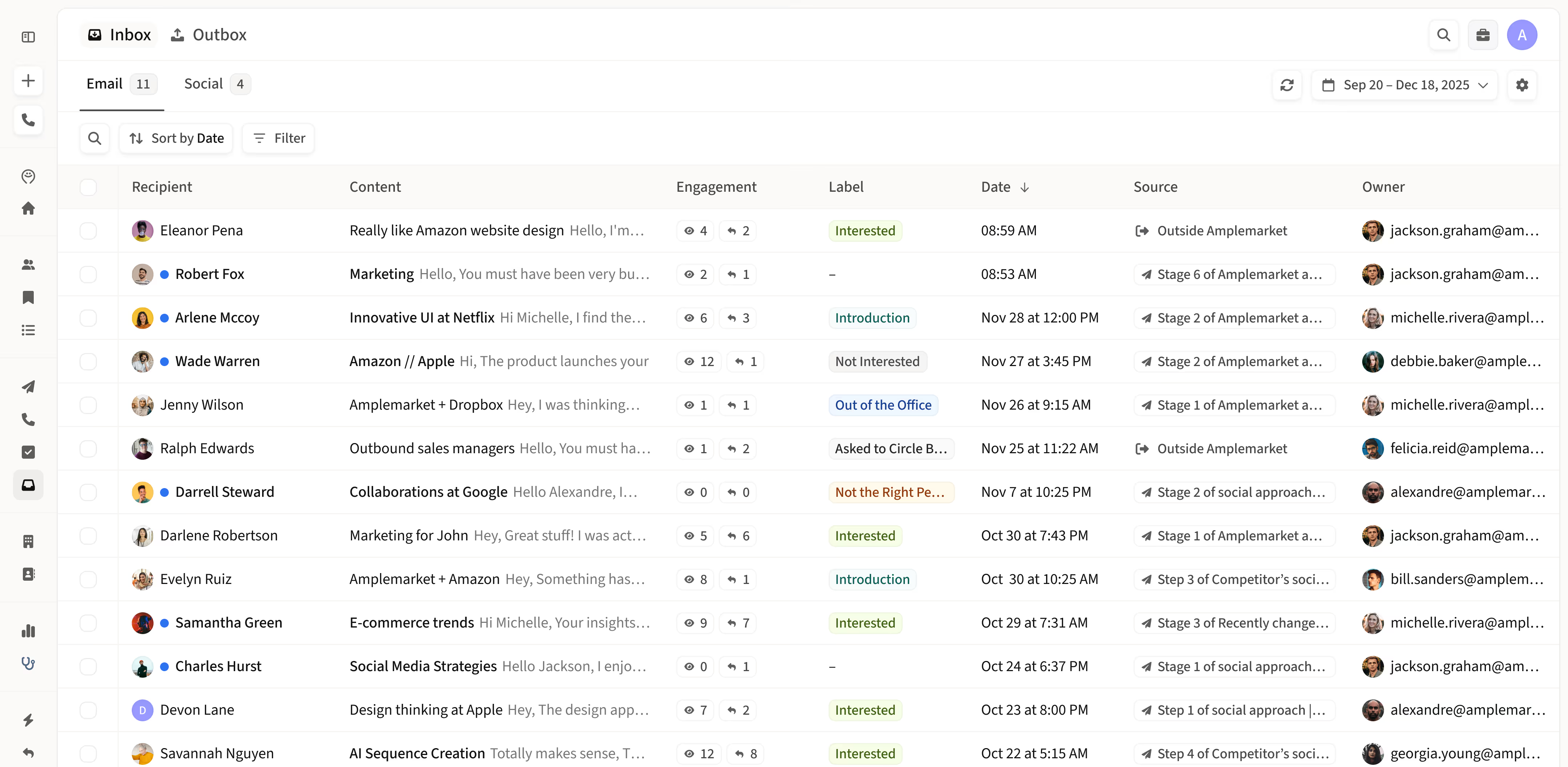
Sales conversations streamlined
Stay organized and prioritize sales outreach

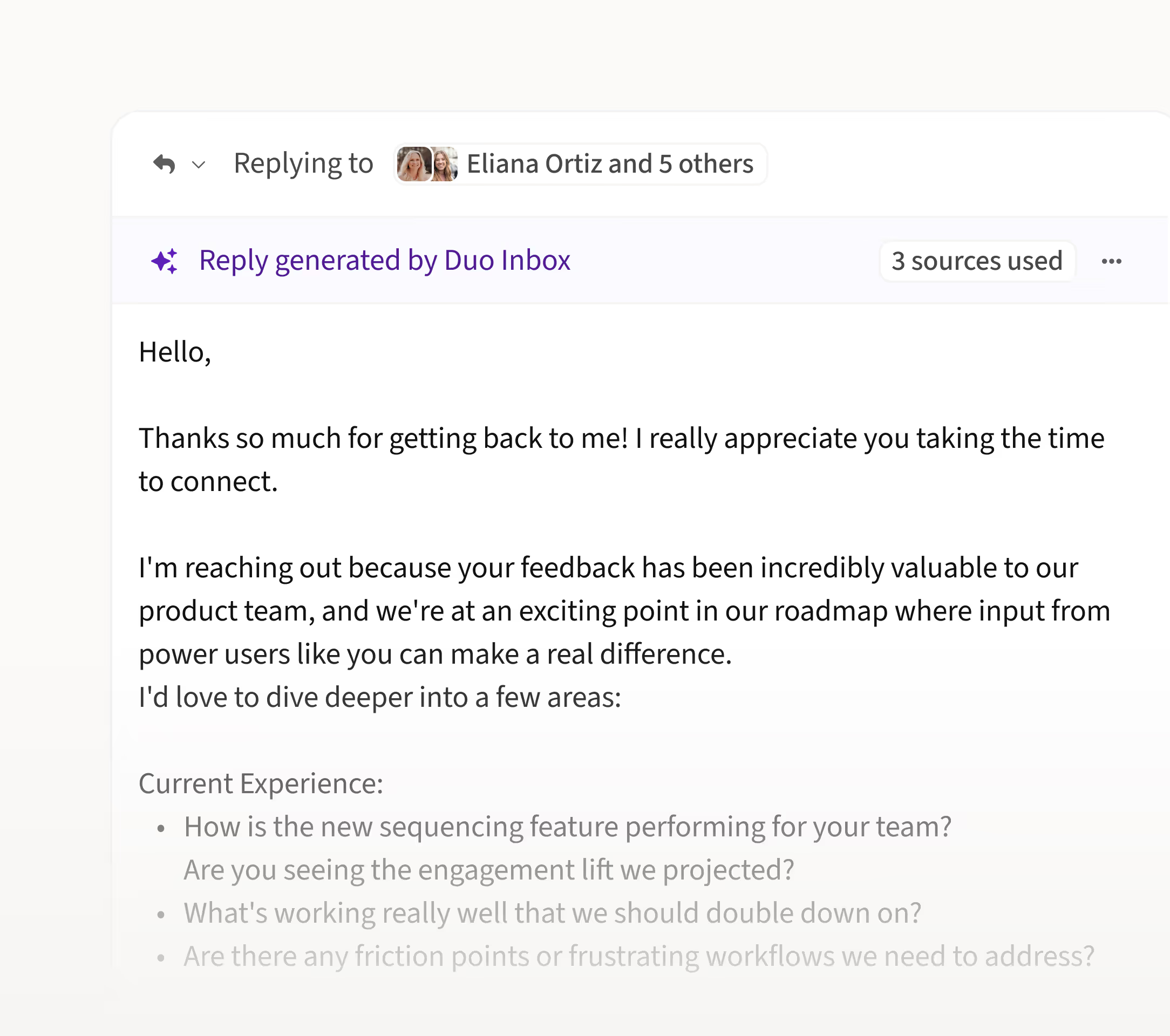
Reply faster to incoming messages with AI drafts
Save time by using AI-powered draft replies for your incoming messages. Tailored to your context, these drafts help you respond quickly and confidently.

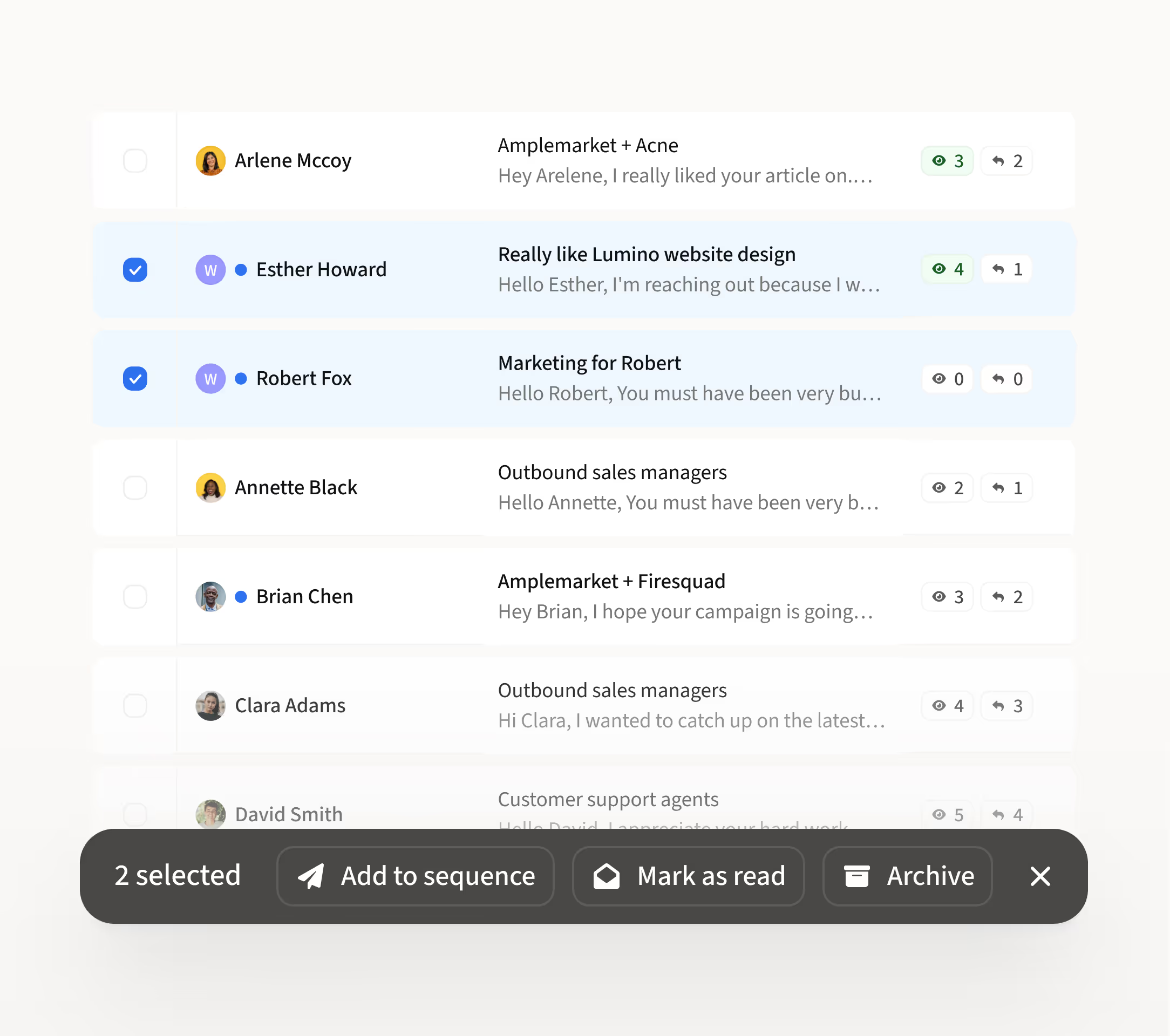
Manage conversations without switching tools
Mark emails as read/unread, add leads to follow-up sequences, or archive conversations, all in one view. Stay organized without switching between tabs.

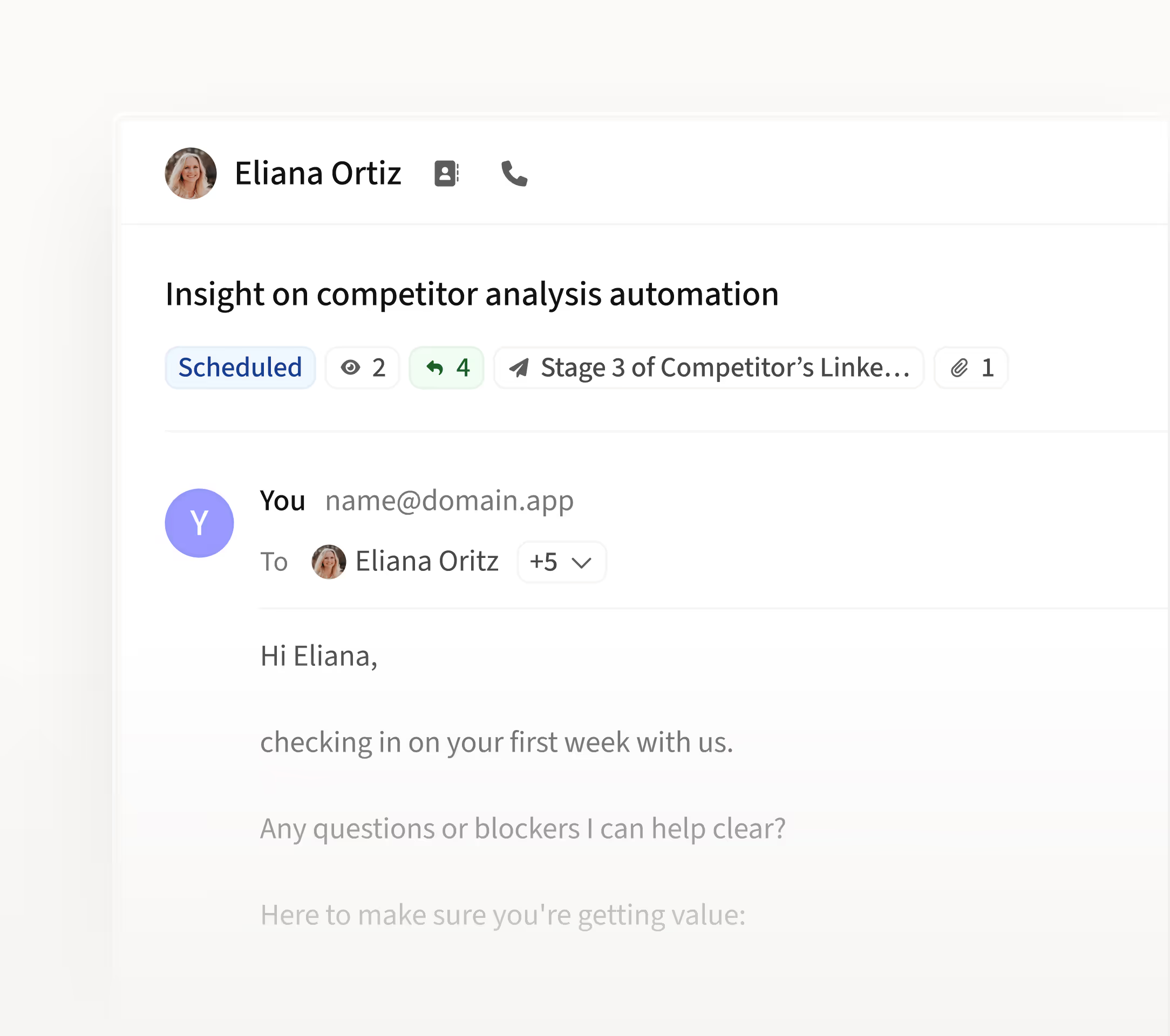
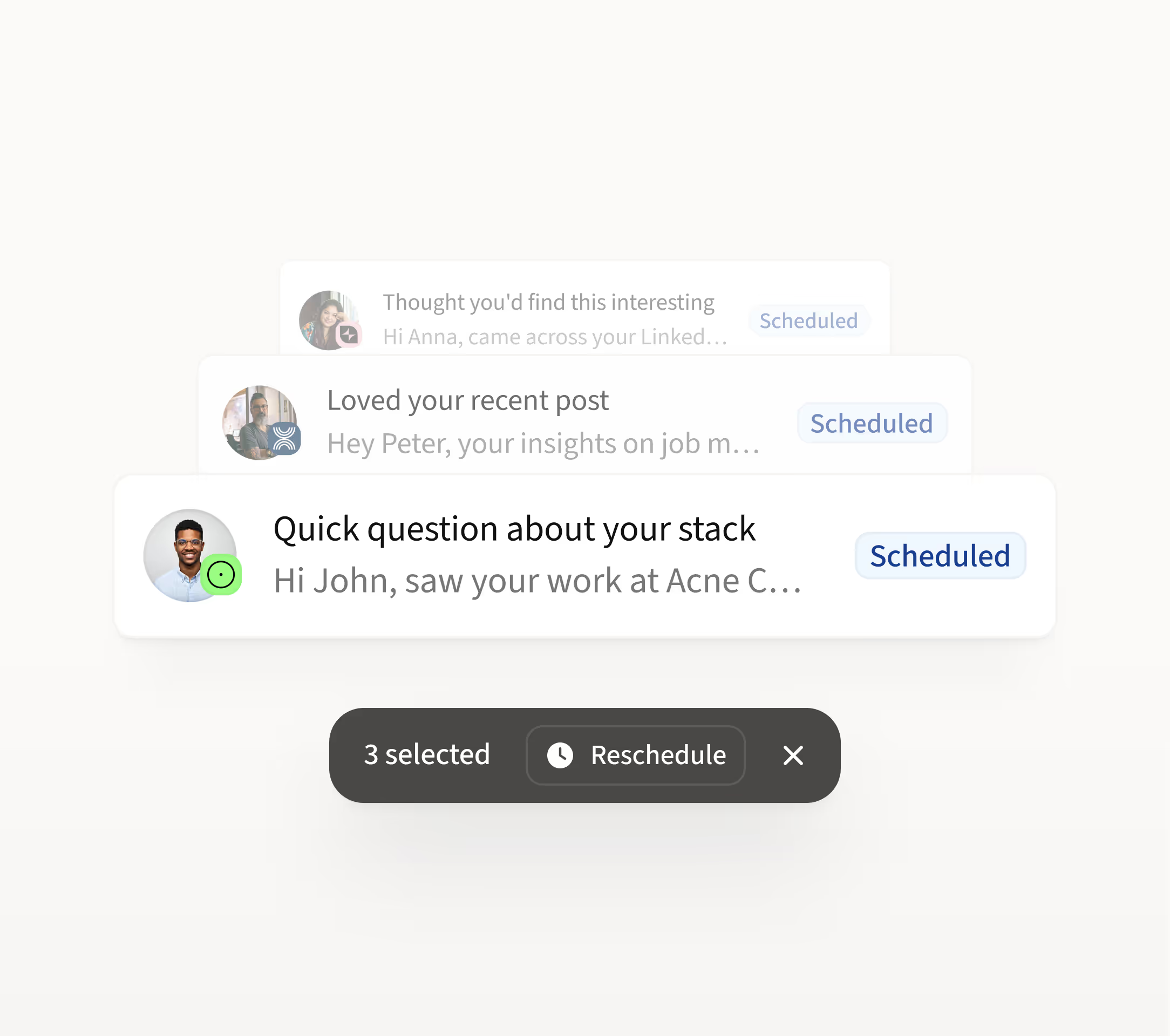
Monitor all scheduled messages
Get full visibility into every email and LinkedIn action you've scheduled. Track delivery, engagement, and status in real time to ensure nothing slips through.

Reschedule to prioritize important messages
With just a few clicks, easily reschedule or pause emails to ensure your most important messages are sent at the right time.

AI Labels
Easily filter high-priority replies powered by AI sentiment analysis.

Multiple Mailboxes
Consolidate replies and scheduled messages across all your mailboxes.

Templates
Skip retyping common replies and use pre-made messages for quicker outreach.

Smart filters
Quickly narrow down inbox and outbox conversations that matter.
.avif)

“Unibox lets me stay in flow — handling social, email, and replies all in one place, without tab-hopping or missing key signals.”

Christian Persico
SDR


How sales teams use the Unibox in Amplemarket
0:00
0:00
0:00
0:00
“How can I reply faster to incoming messages with AI?”
As a sales rep racing against the clock, here’s how you can keep up with incoming messages and respond quickly without compromising the quality of your replies.
1
Select the conversation you want to reply to
2
View the AI-generated reply draft
3
Review the copy and hit send
“How can I track replies across all my mailboxes?”
You’re using multiple mailboxes, but tracking replies can feel like a full-time job. Stay on top of every message without constantly switching inboxes.
1
Open the Unibox
2
Easily filter by mailbox
3
Get instant access to all your mailboxes in one place
“How can I see which emails are scheduled to be sent?”
As a sales manager, you need visibility into your team’s outreach. Quickly see which emails are scheduled to send and make sure everything stays on track.
1
Click on the Outbox
2
Find the channel you want to check
3
Filter by status to see which emails are scheduled
“How does AI help identify the most important replies?”
When dozens of replies come in, it’s hard to spot what messages matters most. Use AI sentiment analysis to identify interested leads and filter out low-intent responses.
1
Open the filter option in the Inbox
2
Filter conversations by Labels
3
Review high-intent replies and prioritize your responses

“Unibox makes it so much clearer to see which emails are going out, when, and to whom.”

Dorina Buehrle
Director of BD and Finance
Frequently asked questions
1
What is a unified sales inbox?
A unified sales inbox brings all your sales conversations across channels into one place. It gives sales teams a single view to manage replies, track outreach, and stay organized without switching tools. Amplemarket’s unified sales inbox, Unibox, is used by teams like Clara and Deel to centralize replies.
2
How can sales teams reply faster to emails?
Sales teams reply faster by using AI-generated reply drafts and working from a unified inbox. This reduces context switching and helps reps respond quickly with relevant, personalized messages.
3
Can Unibox handle multiple mailboxes and channels?
Yes. Amplemarket’s Unibox consolidates conversations across multiple mailboxes and channels such as email and social, allowing sales teams to manage outreach and replies from one place.
4
How does Unibox help teams stay organized?
Amplemarket’s Unibox combines the inbox and outbox to help teams stay organized. It lets them filter conversations, track scheduled messages, mark replies as read or unread, and focus on high-intent conversations.
5
Who is Unibox best for?
Unibox is best for sales reps, SDRs, and sales managers who handle high volumes of outreach and need a faster, more organized way to manage sales conversations.

.jpg)